



Deep Work Eyewear: The Best Glasses for 10-Hour Screen Days
Professionals logging 10+ hours in front of screens often experience visual fatigue, glare, and reduced concentration by late afternoon. While no pair of glasses can eliminate these issues entirely, premium computer eyewear that emphasizes anti-reflective coatings, proper focal tuning, and all-day comfort can make sustained deep work noticeably more tolerable when paired with good lighting and ergonomic habits.
Digital eye strain commonly shows up as tired eyes, dryness, blur, or headaches during or after long screen sessions. According to guidance from the American Academy of Ophthalmology, these symptoms are frequently tied to glare, improper screen distance, brightness levels, and lack of breaks rather than permanent damage. Office lighting, reflections, and workstation setup also play significant roles in overall comfort.
What “Deep Work Eyewear” Actually Means in Practice
The term points to glasses optimized for extended intermediate-distance viewing typical in home offices and hybrid setups. Unlike basic blue-light glasses, these prioritize features that support clarity and reduce distractions over many hours: high-performance anti-reflective (AR) coatings, lenses tuned for typical monitor distances (around 20–30 inches), lightweight yet stable frames, and—for those with prescriptions—accurate correction that avoids the need to hunch or strain.
This approach goes beyond simple tinting. As the AAO notes, reducing glare, adjusting brightness, and maintaining a comfortable viewing distance are among the most practical steps for screen comfort. Premium AR coatings directly address reflections from overhead lights or windows that become tiring over time.

Common Myths About Glasses for Long Screen Days
Many professionals assume that any blue-light filtering lens will dramatically cut fatigue or protect long-term eye health. Official sources indicate that blue light from screens is not established as a direct cause of eye damage for typical use, so glasses should not be positioned as a medical solution. Blue-light filtering can be discussed as a comfort feature, but it should not be framed as a proven fix for eye damage or a guarantee against digital eye strain.
Another misconception is that a single “productivity” pair will transform focus without changes to setup or habits. In reality, comfort during 10-hour days depends heavily on glare control, monitor positioning, the 20-20-20 rule for breaks, and how well the glasses fit and stay centered. Taking regular visual breaks, including the 20-20-20 habit, is a common way to reduce screen-related discomfort.
Myth vs Reality
- Myth: Blue light glasses prevent digital eye damage. Reality: Evidence does not support broad claims of eye damage prevention from normal screen use; focus on comfort instead.
- Myth: Special coatings alone deliver deep-work superpowers. Reality: Gains come from the full system—lens clarity, fit, lighting, and personal tolerance.
Key Features That Matter for 10-Hour Screen Sessions
When evaluating glasses for intense laptop or multi-monitor work, consider these priorities:
- Anti-reflective coatings: Reduce glare and reflections that compound fatigue in bright or mixed lighting. This is often one of the highest-impact upgrades for office environments.
- Intermediate or computer-distance focus: Lenses optimized for 20–30 inches can reduce the need to lean forward or squint, especially useful for prescription users in multi-monitor setups.
- Frame fit and stability: Lightweight frames with good nose pads and temple grip prevent slipping or pressure points that become noticeable after hours of wear.
- High-index lenses (1.67 or 1.74): Worth considering for stronger prescriptions to minimize thickness and weight, improving all-day comfort without sacrificing clarity.
- Blue-light filtering: May offer a subtle comfort preference for some users in evening sessions, but it ranks lower than glare reduction and proper correction for most daytime deep work.
For high-prescription wearers, switching to properly fitted high-index options can reduce fatigue compared with heavier alternatives or prolonged contact lens use.
Which Features Matter Most by Scenario
The importance of each feature flips depending on your specific work environment and vision needs. Use this radar chart to visualize relative priorities across common setups. Scores are illustrative heuristics (1–10 scale) derived from practical eyewear considerations and ergonomics guidance—not clinical measurements.
Which Eyewear Features Matter Most by Screen-Day Scenario
Illustrative 1–10 importance scores for screen-day eyewear features across common work scenarios. These are heuristic rankings, not official measurements.
View chart data
| Series | High-glare office | Home single monitor, no Rx | Multi-monitor, astigmatism | Mild Rx, low glare |
|---|---|---|---|---|
| AR coating | 9.0 | 5.0 | 6.0 | 4.0 |
| Proper prescription / intermediate focus | 7.0 | 2.0 | 10.0 | 8.0 |
| Frame fit / stability | 8.0 | 4.0 | 8.0 | 5.0 |
| High-index lenses | 3.0 | 1.0 | 7.0 | 6.0 |
| Blue light filter | 6.0 | 4.0 | 5.0 | 3.0 |
Illustrative heuristic scores derived from scenario-matrix reasoning, AAO-style ergonomics guidance (prioritize comfortable viewing distance, alignment, and reducing strain), and practical high-index threshold considerations. Scores are relative importance only, not experimental data.
In high-glare offices, AR coating jumps to the top priority. For multi-monitor setups with astigmatism, proper prescription and frame stability become critical to avoid off-axis blur and neck strain. Users with mild prescriptions in controlled home lighting may find basic clarity and fit sufficient without chasing every premium upgrade.
How to Choose Glasses for Your 10-Hour Workday
Follow this practical checklist before purchasing:
- Assess your prescription needs: If you require correction, start with an updated exam and consider intermediate-distance lenses or progressives tuned for screens rather than relying solely on non-prescription options.
- Evaluate your lighting and glare: In bright or overhead-lit spaces, prioritize strong AR coatings. Test by noting reflections during video calls or document work.
- Check frame comfort for all-day wear: Look for adjustable nose pads, lightweight materials, and secure fit that stays centered during head movements.
- Consider lens material: For prescriptions stronger than -4.00 or +2.00, high-index options (1.67 or 1.74) often reduce weight and edge thickness for better comfort.
- Match to your setup: Multi-monitor users benefit from wider fields of clear vision; single-monitor home offices may tolerate more specialized pairs.
- Test the full system: Combine new glasses with screen adjustments, proper distance, and regular breaks for best results.
This article only discusses comfort and setup advice; it does not constitute medical advice, diagnosis, or treatment. If you experience persistent discomfort or have existing eye conditions, consult a qualified eye care professional.
For those already managing high prescriptions, exploring 1.74 high-index lenses can reveal when the upgrade justifies the cost in terms of reduced fatigue and better aesthetics.
Recommended Options for Deep Work and Screen-Heavy Professionals
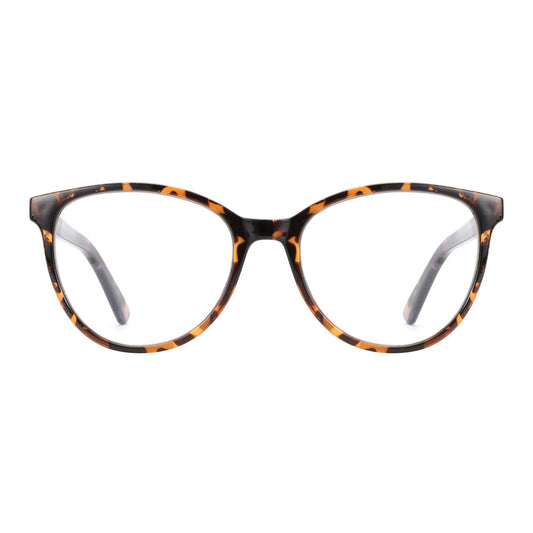
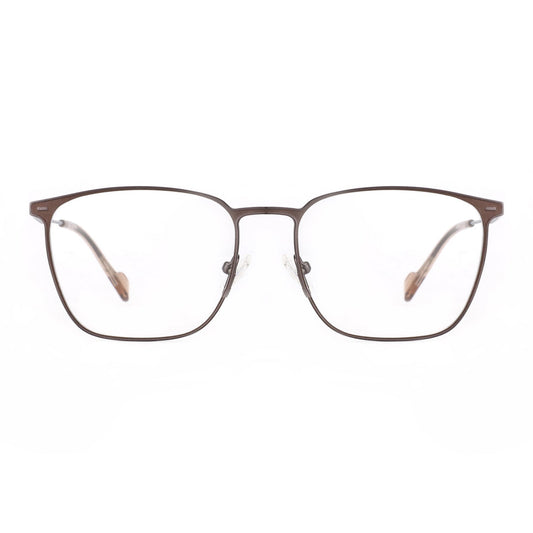
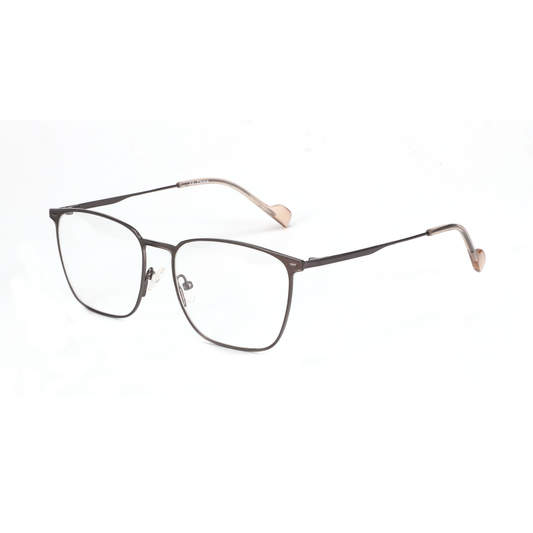
Zenottic offers several frames well-suited to long screen sessions. The Zenottic Eyeglasses Trevor combines 1.74 high-index lenses with blue light filtering, making it a strong contender for prescription users seeking lightweight all-day wear. For classic style with reliable performance, consider the Zenottic Eyeglasses Howard, which features sturdy construction and UV protection suitable for hybrid environments.
Those prioritizing anti-glare performance may prefer the Zenottic Eyeglasses Aurora, designed specifically to minimize reflections during extended laptop use. For a more geometric, modern look that works across genders, the Zenottic Eyeglasses Riley offers customizable lens options that support precise focus tuning.
If you are exploring broader collections, the Blue Light Blocking Glasses range includes multiple styles with anti-reflective treatments, while the main Eyeglasses collection allows easy filtering by lens material and features.
Additional reading on related topics includes our guide to Gaming Glasses That Actually Work: Beyond the Blue Light Hype, which shares practical insights applicable to productivity use, and the detailed overview of Prescription Computer Glasses: The Ultimate Multi-Monitor Setup.
High-prescription users transitioning from contacts may also find value in understanding Contact Lens Fatigue: Why High-Prescription Wearers Are Switching to 1.74 Glasses.
Final Thoughts on Investing in Screen-Day Comfort
The best glasses for 10-hour computer work ultimately depend on your individual vision, workspace lighting, and daily routine. A well-chosen pair with strong AR coating, accurate prescription (when needed), and comfortable fit can reduce perceived strain and help maintain focus longer, but results vary by user and setup. Pair any eyewear choice with proper ergonomics, screen calibration, and regular breaks for the most sustainable approach.
This article discusses comfort/setup considerations only and is not a substitute for professional eye care. Persistent symptoms should be evaluated by a qualified optometrist or ophthalmologist.

