




Best Glasses for Programmers: Combat Digital Eye Strain
Programmers often spend 8–12 hours daily staring at screens, which commonly leads to symptoms of digital eye strain such as headaches, dry eyes, blurred vision, and general discomfort. While many turn to blue light glasses hoping for relief, current evidence shows they do not reliably reduce these symptoms. Instead, the most effective approaches focus on proper vision correction, anti-reflective coatings to manage glare, comfortable frames for extended wear, and simple ergonomic habits like taking regular breaks.

This guide cuts through the marketing around computer glasses for coding to give practical, evidence-based advice tailored to software developers, data analysts, and other heavy screen users. You will learn what actually helps most, what features to prioritize when shopping, and when specialty eyewear makes sense versus when better screen setup or habits deliver faster results.
Understanding Digital Eye Strain for Programmers
Long coding sessions, multi-monitor setups, and intense focus create a perfect storm for computer vision syndrome. Common symptoms include blurred vision, eyestrain, dry or irritated eyes, headaches, and even neck or back discomfort from poor posture while leaning toward screens.
These issues arise from multiple factors: prolonged close focus, reduced blink rate, glare from monitors or overhead lights, improper screen distance, and sometimes uncorrected vision needs for intermediate distances typical in programming work. Ignoring these can lower productivity and make late-night debugging sessions far less comfortable.
According to a comprehensive review, prolonged screen use is associated with these digital eye strain symptoms (Digital Eye Strain - A Comprehensive Review). However, the root causes are often behavioral and environmental rather than solely light wavelength related.
Do Blue Light Glasses Actually Help Programmers?
Blue light filtering glasses have become popular among developers, with many brands claiming they reduce eye strain, prevent headaches, and even improve sleep. Yet systematic evidence tells a more cautious story.

A 2023 systematic review concluded that blue-light filtering spectacle lenses may not reduce eye strain symptoms from computer use, especially in the short term (Blue-light filtering spectacle lenses for visual performance, sleep, and macular health in adults). Professional organizations like the American Academy of Ophthalmology echo this, recommending ergonomic adjustments, breaks, and proper vision correction as the primary strategies rather than relying on tinted lenses alone (Digital Devices and Your Eyes).
This does not mean every programmer will experience zero benefit—some report subjective comfort from a slight tint or simply from wearing any dedicated pair. However, the science does not support marketing claims that blue light glasses are a proven fix for coding-related eye fatigue. Treat them as an optional preference rather than an essential tool.
Myth vs Reality for Coders
-
Myth: Blue light from screens is the main cause of programmer eye strain, so blocking it solves the problem.
-
Reality: Symptoms are multifactorial; glare, blink rate, focus distance, and uncorrected vision often play larger roles. Evidence does not show reliable strain reduction from blue light filtering.
-
Myth: If your eyes hurt after eight hours of coding, you need computer glasses.
-
Reality: First check your prescription, screen setup, lighting, and whether you are taking breaks. These changes frequently deliver more noticeable relief.
What Actually Reduces Eye Strain During Coding Sessions
Eye-care professionals consistently prioritize non-lens solutions first. Proper vision correction (especially for computer distances), the 20-20-20 rule (every 20 minutes, look 20 feet away for 20 seconds), optimizing screen brightness and positioning, controlling room lighting to minimize glare, and maintaining good posture provide the strongest foundation.
Lens features can supplement these habits. Anti-reflective or anti-glare coatings help reduce reflections from windows, overhead lights, or other monitors, which is particularly useful in typical office or home coding environments (Eye Discomfort - UCLA Ergonomics). Frame comfort matters too—lightweight materials, adjustable nose pads, and styles that stay securely in place during long sessions prevent the distraction of constantly readjusting glasses.
University guidance reinforces that digital eye wellness depends more on these practical strategies than on specialty tints (UAB optometrist prescribes strategies for digital eye wellness).
Feature Priority: What Matters Most for Programmers
When choosing glasses specifically for programming, follow this evidence-informed hierarchy:
- Accurate vision correction or readers optimized for screen distance
- Anti-reflective coating to control glare
- Lightweight, comfortable frames designed for all-day wear
- Clear optics without unwanted distortion
- Blue light filtering only as a personal preference
Evidence-Based Priority for Reducing Digital Eye Strain
Illustrative ranking based on evidence strength, not experimental measurements.
View chart data
| Category | Priority Score (heuristic) |
|---|---|
| Breaks & Ergonomics | 5 |
| Vision Correction | 5 |
| Anti-Reflective Coating | 3 |
| Frame Comfort/Fit | 2 |
| Blue Light Filtering | 1 |
Heuristic priority scores synthesized from official guidance and systematic review direction: breaks/ergonomics and proper prescription are emphasized most; anti-reflective coating is a secondary glare-reduction aid; frame comfort/fit matters for wearability; blue light filtering receives the lowest priority because evidence for reducing digital eye strain is weak or inconsistent. This is illustrative, not measured data.
This ranking reflects the strength of evidence: behavioral and correction factors score highest, while blue light filtering scores lowest due to limited support in controlled studies.
How to Choose Glasses for Programming
Don’t Buy If…
- You expect the glasses alone to eliminate eye strain without changing any habits or setup
- Your primary issue is an outdated prescription or poor workstation ergonomics
- You need accurate color representation for UI/UX or design work and dislike any tint
- You work in a brightly lit space where glare from lights or windows is the dominant problem—anti-reflective coating addresses this better
Upgrade Path for Current Glasses Wearers
If you already wear prescription glasses, consider adding or upgrading to high-quality anti-reflective coating first. For non-prescription users, evaluate whether dedicated computer glasses are truly needed or if improving screen distance, lighting, and breaks would suffice. In dim evening coding sessions, some people prefer a light tint for subjective comfort, but this remains personal preference rather than proven protection.
Look for frames with adjustable nose pads, lightweight materials (such as acetate or thin metal), and lens widths around 50–55mm that suit typical coding postures. Square or semi-rimless styles often work well with monitors.
Practical Checklist Before Buying
- Get a recent eye exam to confirm if you need correction for intermediate distances
- Test anti-reflective coating in your actual workspace—notice how it handles reflections
- Choose frames that feel nearly weightless after 30 minutes of wear
- Verify lenses provide clear, undistorted vision across your monitor setup
- Only add blue light filtering if you personally like the visual effect
Recommended Features in Zenottic Blue Light Blocking Glasses
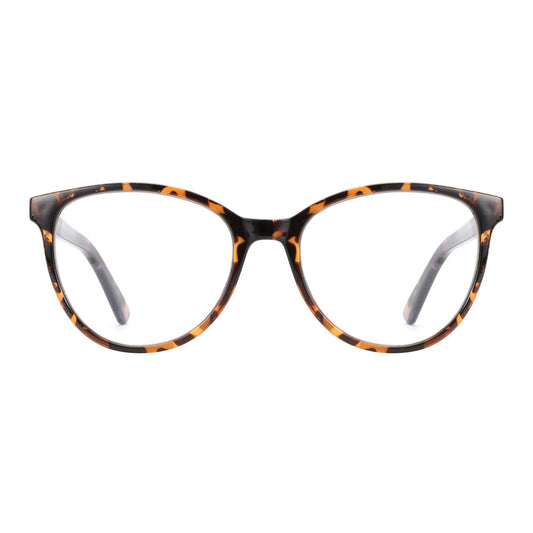
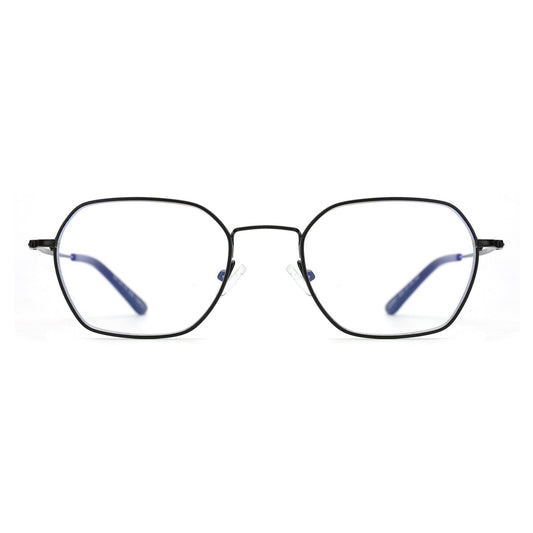
Zenottic offers several stylish options designed with programmers in mind. Models like the Zenottic Eyeglasses Greer feature metal frames with adjustable nose pads for all-day comfort during long sessions. The Zenottic Blue Light Blocking Glasses Fidelity and Arthur provide lightweight designs that pair well with multi-monitor setups.
For those preferring classic looks, the Zenottic Eyeglasses Upton uses durable acetate with integrated nose pads. Many of these frames accept prescription lenses, allowing you to combine accurate vision correction with anti-reflective coatings.
Explore the full Blue Light Blocking Glasses collection to find pairs that balance style and practicality for coding environments. Remember to pair any new glasses with good habits—your eyes will thank you more for consistent breaks than for lens tint alone.
Beyond Glasses: Complete Digital Wellness for Developers
The most successful approach combines smart eyewear choices with workspace optimization. Position your monitor at arm’s length, slightly below eye level. Use bias lighting behind your screen to reduce contrast strain. Keep your room lighting balanced rather than completely dark or harshly bright.
Take regular breaks, stay hydrated to combat dry eyes, and consider larger text sizes or higher contrast themes in your IDE. For deeper reading on daily eye care habits, see How to Take Care of Your Eyes in Daily Life.
Frame fit also plays a role in long-term comfort. Proper positioning prevents slipping and reduces pressure points—review HOW GLASSES SHOULD FIT? for guidance.
Final Takeaway
The best glasses for programmers prioritize clear vision, glare reduction through anti-reflective coatings, and all-day comfort over unproven blue light claims. While blue light filtering may appeal subjectively, evidence indicates that ergonomic changes, proper prescription updates, and behavioral adjustments deliver more consistent relief from digital eye strain.
Choose eyewear that fits your actual workspace and needs rather than chasing trends. Combine quality frames and lenses with sensible screen habits, and you will likely notice better focus and fewer headaches during those marathon coding sessions.
This article discusses comfort and setup considerations for screen use. It does not constitute medical advice, diagnosis, or treatment. If you experience persistent eye discomfort, headaches, or vision changes, consult a qualified eye care professional.
References
