



Clear vs. Yellow Tint: Choosing the Right Computer Glasses for Your Office
Many office professionals want to reduce digital eye strain without wearing noticeably tinted glasses that could look out of place in meetings or client-facing roles. Clear computer glasses usually deliver the best balance for most workday scenarios because they maintain a natural appearance and accurate color perception while still incorporating anti-glare and blue-light filtering coatings that many users find comfortable during extended screen time.

The decision between clear and yellow-tint lenses is less about one being universally superior and more about matching the lens to your specific office tasks, lighting conditions, and tolerance for visible tint. Clear lenses are typically the safer default for hybrid workers, designers, and anyone who switches between screens and in-person interactions. Yellow-tinted options can feel subjectively softer in certain glare-heavy setups but introduce trade-offs that often outweigh the benefits in professional environments.
What Clear and Yellow-Tint Computer Glasses Actually Do
Computer glasses, sometimes called blue light glasses or digital wellness lenses, are designed to support visual comfort during prolonged screen use. Most incorporate anti-reflective coatings that reduce glare from monitors and overhead lights. Some also apply selective filters that cut a portion of high-energy blue-violet light.
Clear lenses achieve this with nearly invisible coatings, preserving natural color rendering and a professional look. Yellow-tint (or amber) lenses use a visible filter that blocks more blue light and can create a warmer visual field, which some people perceive as reducing harshness or eye fatigue. However, this tint makes the glasses more noticeable and can shift how colors appear on screens and in the real world.
As the American Academy of Ophthalmology explains, digital eye strain is real for many people, but it is primarily managed through habits like the 20-20-20 rule, proper screen distance, lighting adjustments, and regular breaks rather than relying solely on lens tint. Computer glasses are comfort accessories that may complement these habits but do not replace them or treat underlying vision issues.
Clear vs Yellow Tint: Key Trade-Offs for Office Use
The biggest practical difference is visibility and color fidelity. Clear lenses look like ordinary prescription or plano glasses, making them ideal when appearance matters. Yellow-tint lenses are more obvious, which can feel distracting in video calls, presentations, or open-plan offices.
Color perception is another major factor. Yellow tints can make whites appear warmer and may slightly distort colors on spreadsheets, design software, or marketing materials. Clear lenses avoid this shift, supporting accuracy in color-sensitive tasks.
Comfort is highly individual. Some users report that a mild yellow tint softens bright screens in dim rooms, but this benefit is subjective and often replicated by adjusting screen brightness, using night mode, or improving workspace ergonomics. Stronger tints marketed for gaming tend to exaggerate the effect and are usually less suitable for all-day office wear.

Myth vs Reality
-
Myth: Yellow-tint glasses provide significantly better eye strain relief than clear ones. Reality: Relief depends more on your overall setup and habits than tint strength. The AAO notes that blue light from screens has not been proven to cause permanent eye damage, so stronger filtering is not a guaranteed health upgrade.
-
Myth: All blue light glasses look the same in professional settings. Reality: Clear versions are far less noticeable, while yellow or amber tints stand out and may appear less polished in client meetings.
-
Myth: Gaming glasses work equally well for office tasks. Reality: Gaming-oriented yellow tints are often optimized for low-light, high-contrast environments and can feel mismatched during daytime office work or color-critical projects.
These distinctions matter because many buyers assume more tint equals more protection. In office contexts, the clearer choice usually creates fewer regrets.
Office Scenario Matrix: When the Best Choice Flips
The right lens often depends on your daily workflow. Here is a practical framework based on common professional situations:
| Scenario | Preferred Lens | Why It Fits Better | When the Other Might Still Work |
|---|---|---|---|
| Client meetings & video calls | Clear | Least noticeable; maintains natural look | Only if tint is very mild |
| Color-sensitive design or QA | Clear | Preserves accurate colors on screen | Rarely – tint distorts perception |
| Multi-monitor spreadsheets & documents | Clear | Consistent color across screens | If glare is extreme and color unimportant |
| Long text-only coding or reading | Either (clear default) | Clear avoids fatigue from constant tint | Yellow if you personally prefer warmer view |
| Hybrid days with mixed tasks | Clear | Versatile across environments | Yellow only for private desk time |
Clear lenses win in most office scenarios because they avoid introducing new variables like visible tint or color shift. Yellow tint becomes more reasonable only when your workday is mostly private, text-heavy, and you specifically like the warmer visual effect.
Don't Buy Yellow Tint If
- Your role involves frequent face-to-face or camera-on interactions where professional appearance counts.
- You handle color-critical work such as graphic design, photography review, video editing, or financial modeling with color-coded data.
- You expect the glasses alone to eliminate eye strain without improving screen distance, brightness, or taking regular breaks.
- You already dislike how tinted sunglasses look indoors and want the most discreet option.
In these cases, the hidden trade-offs of yellow lenses — noticeable appearance, altered color perception, and potential mismatch with office norms — usually outweigh any subjective comfort gain.
How to Choose the Right Computer Glasses for Your Office Setup
Start by auditing your workspace and tasks rather than focusing only on tint level. Follow this checklist:
-
Assess appearance needs: If you join video calls or meet clients regularly, prioritize clear lenses that look like everyday eyewear.
-
Evaluate color demands: For design, data visualization, or any work where accurate hues matter, default to clear to avoid distortion.
-
Check your lighting and glare: Bright overhead lights or glossy screens increase reflections. Anti-reflective coatings on clear lenses often address this effectively without tint.
-
Consider screen time and habits: For 8+ hour days, combine lenses with the 20-20-20 rule, proper ergonomics, and screen brightness at or below room lighting. These steps usually deliver more relief than tint strength alone.
-
Test for personal preference: If possible, try both styles. Some people tolerate mild tints well in private settings, but most office buyers land on clear for versatility.
-
Factor in prescription needs: Many computer glasses are available with or without prescription. Intermediate-focus lenses can be particularly helpful for multi-monitor setups where you frequently shift between 20–30 inches and farther distances.
Our prescription computer glasses guide offers detailed advice for multi-monitor users, while the deep work eyewear article explores features that genuinely reduce fatigue during long sessions.
Clear vs Yellow Tint Computer Glasses: Office Use Fit by Scenario
Illustrative buyer-fit scores for office scenarios. Higher scores mean better fit for that use case; scores reflect practical trade-offs, not measured performance.
View chart data
| Category | Clear lenses | Yellow tint lenses |
|---|---|---|
| Professional appearance | 5.0 | 2.0 |
| Color accuracy work | 5.0 | 1.0 |
| Video calls | 5.0 | 2.0 |
| Multi-monitor color work | 5.0 | 1.0 |
| Long text-only sessions | 4.0 | 3.0 |
| Personal glare sensitivity | 2.0 | 4.0 |
Illustrative heuristic scores derived from scenario_matrix, reverse_recommendation, myth_vs_reality, dont_buy_if, and hidden_tradeoffs. This chart translates practical office-use trade-offs into a bounded comparison, informed by conservative AAO-style guidance that digital eye strain is best addressed first with ergonomics, breaks, and screen setup rather than assuming tint is a primary fix.
The chart above uses heuristic scores (1–5 scale) to illustrate relative office suitability. Clear lenses score highest in appearance, color accuracy, video calls, and multi-monitor color work. Yellow tint only edges ahead in scenarios where personal glare preference dominates and color fidelity is unimportant. These are practical modeling aids, not clinical measurements. Real experience depends on your lighting, screen settings, and individual sensitivity.
Recommended Lens Features Beyond Tint
Look for these practical upgrades regardless of tint choice:
- High-quality anti-reflective (AR) coating to minimize glare from multiple screens and lights.
- Lightweight frames with adjustable nose pads for all-day comfort, especially important when pairing with over-ear headphones.
- Blue-light filtering that targets 400–455 nm wavelengths without heavy tint (available in clear options).
- UV400 protection for any outdoor transitions during hybrid work.
- Durable yet flexible materials that resist slipping during long calls.
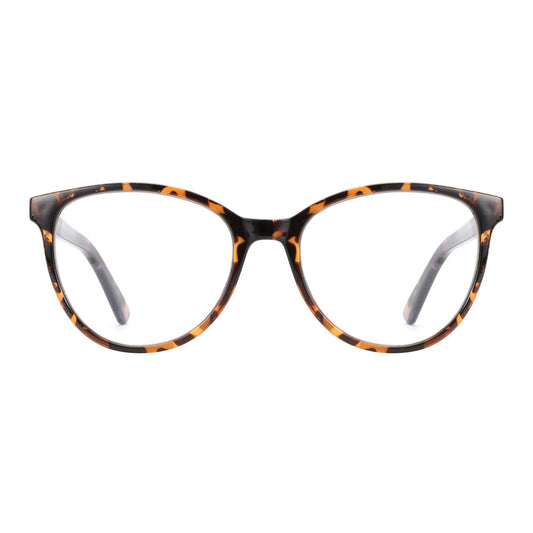
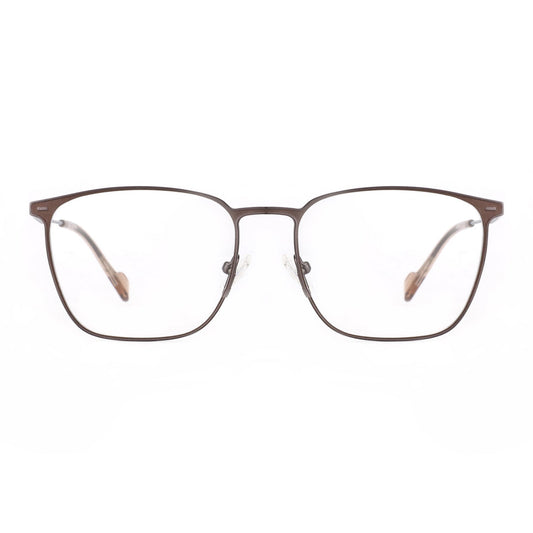
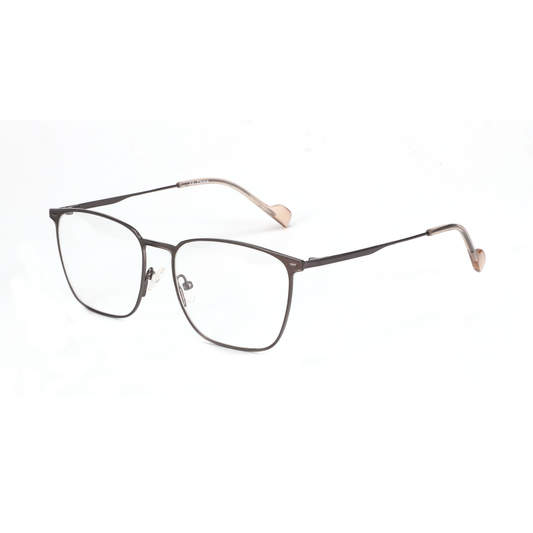
Zenottic’s collection emphasizes these features in discreet, professional styles. For example, the Zenottic Howard offers classic square frames with clear blue-light options that blend seamlessly into office attire. The Zenottic Aurora focuses on superior anti-glare performance for extended screen hours, while the Trevor uses high-index lenses for a thinner profile.
If you prefer acetate construction, explore the broader acetate frames collection or the dedicated blue light blocking glasses range that prioritizes clear, low-profile designs.
Our gaming glasses article explains why many “gaming” styles with heavier tints are better reserved for evening or non-office use, reinforcing that clear options often translate better to professional environments.
Important Comfort and Eye Health Boundaries
This article discusses visual comfort and practical considerations for choosing computer glasses in office settings. It does not constitute medical advice, diagnosis, or treatment. Computer glasses are not proven to prevent eye disease or permanently resolve digital eye strain. If you experience persistent discomfort, headaches, blurred vision, or have existing eye conditions, consult a qualified eye care professional. Proper ergonomics, regular breaks, and comprehensive eye exams remain the foundation of long-term visual wellness. Individual results vary based on lighting, screen habits, prescription needs, and personal sensitivity.
Final Recommendation
For the vast majority of office workers, clear computer glasses provide the most practical balance of comfort, professionalism, and versatility. They avoid the aesthetic and functional downsides of yellow tint while still offering anti-glare and selective filtering benefits that many users appreciate during long screen days.
Yellow-tint lenses remain a personal preference option for those who work primarily in private, text-focused environments and specifically enjoy the warmer view. Most professionals, however, will experience fewer daily compromises with clear lenses that look normal and preserve accurate colors.
Before purchasing, review your typical workday against the scenario matrix and checklist above. Combine the right lens choice with good workspace habits, and you will be better equipped to handle extended computer use without drawing unwanted attention to your eyewear. Explore Zenottic’s range of clear digital wellness options designed specifically for modern office and hybrid work.
References
- Digital Devices and Your Eyes - American Academy of Ophthalmology
- Internal Zenottic resources on deep work, multi-monitor setups, and practical eyewear tested for real office conditions.
