



Best Computer Glasses for Multi-Monitor Workstations
For professionals spending long hours across two or three monitors, the right computer glasses can support more natural head positioning and a wider comfortable viewing area, provided the lens focal distance and frame width match your specific workstation layout. Single-screen designs often feel restrictive in multi-monitor environments, making frame selection, lens type, and desk ergonomics the real deciding factors rather than generic blue-light claims.

Why Multi-Monitor Setups Create Unique Visual Demands
Working across multiple displays changes the visual ergonomics compared with a single laptop or monitor. Your gaze must travel farther side to side, and many users end up rotating their necks or leaning forward repeatedly. This pattern can contribute to the group of symptoms known as computer vision syndrome or digital eye strain, which includes blurred vision, headaches, dry eyes, and difficulty refocusing, according to a comprehensive review of digital eye strain.
Ergonomic guidance consistently shows that discomfort is often driven more by monitor placement and head movement than by the glasses alone. Official resources emphasize positioning screens to minimize neck rotation: center the primary monitor directly in front of you and place secondary displays close enough that you rotate your eyes and head less. As this dual-monitor ergonomic guide from UCOP explains, keeping monitors close together reduces non-neutral neck posture that builds up over long sessions.
For coders, traders, and designers, the field of view becomes critical. Narrow lenses can force you to turn your head more often to see edge information on outer monitors, increasing shoulder and neck strain. The right combination of wider lens dimensions, appropriate intermediate focal length, and anti-reflective coatings can make the entire workspace feel more seamless without changing your natural posture.
Lens Types That Work Best for Wide Workstations
The focal distance of your lenses should match the typical distance to your monitors, usually between 20 and 30 inches for desk setups. Standard single-vision reading glasses are often too strong, while distance lenses leave intermediate screens blurry. Three main options tend to perform well in multi-monitor environments:
-
Single-vision intermediate lenses: These are optimized for one fixed distance, typically your most common monitor range. They offer the widest clear field of view across the entire lens, which helps when scanning multiple screens quickly. Many power users prefer this simplicity for coding or trading where the working distance stays relatively constant.
-
Occupational progressive or computer lenses: These provide a wider intermediate zone tailored for desk work, with less distortion in the lower portion than traditional progressives. They can reduce the need to tilt your head back to read smaller text on side monitors, though they require precise fitting to avoid swim or adaptation issues.
-
Blue-filter lenses with anti-reflective coating: These add a filter that reduces certain wavelengths while the AR coating cuts glare from overhead lights or reflective screens. While major ophthalmology organizations note there is no strong evidence that typical screen light damages eyes, many users report these lenses make bright white backgrounds feel less harsh during 8–10 hour days. The American Academy of Ophthalmology guidance recommends treating broad blue-light protection claims cautiously.
To help compare these options across common workflows, the chart below shows relative suitability scores modeled from ergonomics principles and typical lens design trade-offs. Higher scores indicate a better practical balance of field of view, reduced head turning, and workstation practicality for each scenario (cost is factored in as a soft penalty for more complex designs). These are illustrative heuristics, not clinical measurements.
Lens Type Fit for Multi-Monitor Workstation Scenarios
Relative suitability scores for common computer-glasses lens types across multi-monitor workstation scenarios.
View chart data
| Category | Single-vision intermediate | Occupational progressive | Blue-filter + AR |
|---|---|---|---|
| Coding (2–3 monitors) | 5.0 | 3.0 | 4.0 |
| Trading (multi-chart) | 4.0 | 3.0 | 5.0 |
| Design (wide canvas) | 3.0 | 4.0 | 5.0 |
Illustrative heuristic built from ergonomics guidance on intermediate working distance, wide-field comfort, and common lens design tradeoffs. Scores reflect relative fit for workstation use, not clinical outcomes or measured health effects. Higher = better balance of field of view, neck comfort, and overall practicality; cost is folded into the score as a soft penalty for more complex lens designs.
Choosing Frames for Maximum Field of View
Lens width and overall frame design directly affect how much of your peripheral monitors you can see clearly without turning your head. Look for frames with lens widths of at least 50–55 mm and a generous bridge measurement to keep the optical centers aligned with your pupils across a wide gaze.
Square or rectangular acetate frames often provide the largest usable lens area, making them popular among developers who need to scan code on outer displays. Metal half-rim or round designs can feel lighter for all-day wear but may sacrifice some edge clarity if the lens area is smaller. Adjustable nose pads help fine-tune the pantoscopic tilt so the lenses sit at the optimal angle for downward and sideward glances.
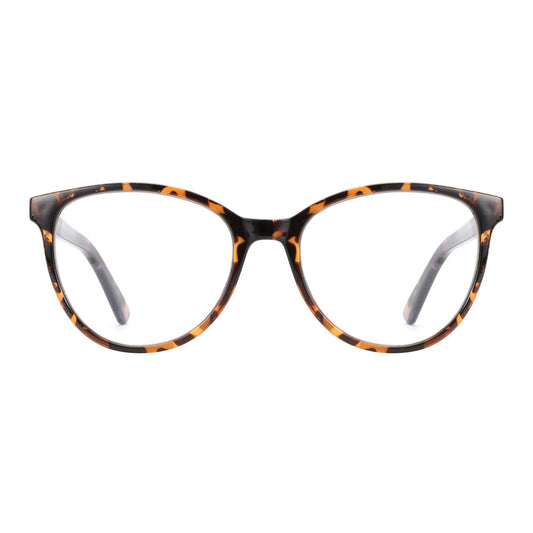
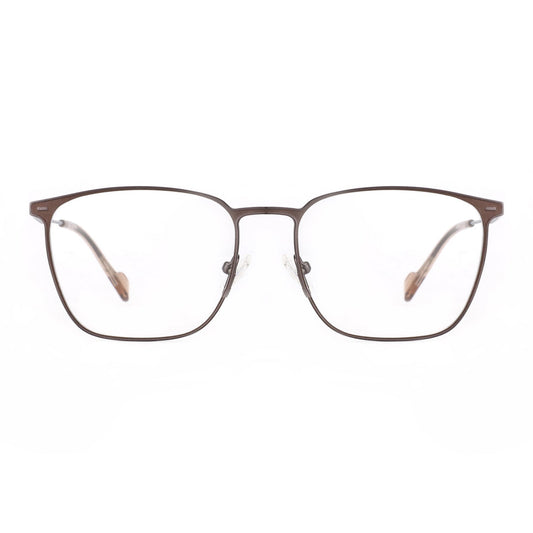
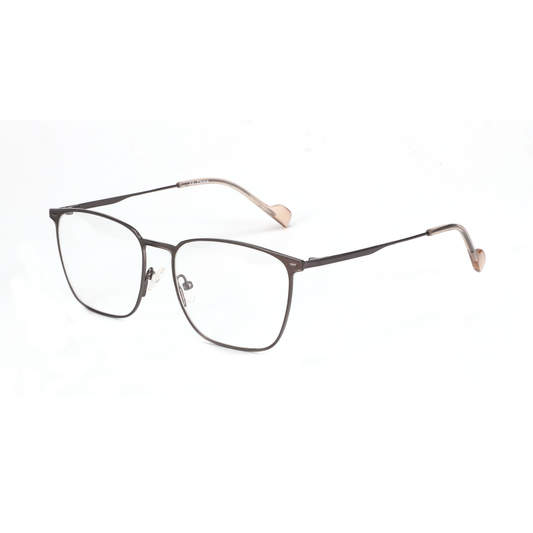
Our Zenottic Eyeglasses Howard square acetate option and the wider-lens Zenottic Eyeglasses Trevor both accommodate larger lens areas suitable for multi-monitor scanning. For those who prefer lighter metal construction, the Zenottic Eyeglasses Wilton offers adjustable pads that help maintain proper positioning during long trading or design sessions.

When pairing glasses with over-ear headphones common in deep-work environments, low-profile temple designs reduce pinching. Our guide on the best glasses to wear with over-ear headphones covers specific temple geometry that also benefits multi-monitor users who wear headsets for focus music or calls.
Workstation Setup That Complements Your Glasses
Even the best glasses cannot fully compensate for poor monitor positioning. Follow these evidence-based ergonomic checkpoints before finalizing your eyewear choice:
- Center your primary monitor so the top sits at or slightly below eye level to maintain a neutral neck posture, as suggested in Oregon OSHA workspace evaluation guidance.
- Position secondary monitors close enough that you can view them with only 30–35 degrees of head rotation rather than full neck turns.
- Set viewing distance for comfort (usually arm’s length) and mention your multi-monitor routine when getting an eye exam so the optician can measure for intermediate focal lengths.
- Use the 20-20-20 rule as a habit: every 20 minutes look at least 20 feet away for 20 seconds to give eye muscles a break.
- Ensure your chair and desk height keep your elbows at roughly 90 degrees so you do not hunch toward the screens.
These adjustments often deliver more noticeable relief than switching glasses alone. For deeper strategies on sustaining focus during extended sessions, see our article on deep work eyewear for 10-hour screen days.
Practical Buying Checklist for Multi-Monitor Users
Use this decision framework to avoid common mismatches:
- Measure your typical eye-to-monitor distance and share it with your eye-care provider.
- Prioritize lens width over style for wide setups—aim for at least 52 mm per lens if possible.
- Decide between single-vision intermediate for maximum clarity in one zone versus occupational progressives if you also read printed notes frequently.
- Request anti-reflective coating on both sides to reduce glare from multiple light sources.
- Test the frame weight and temple grip; lightweight acetate or titanium reduces fatigue over 8+ hours.
- Avoid frames with very thick rims that block peripheral vision or very narrow bridges that sit too low on the nose.
If your prescription is high, consider high-index materials like those discussed in our technical guide to high-index lens materials and standards so the lenses stay thin even in larger frames.
Users who already own single-vision computer glasses optimized for one screen may find upgrading to wider occupational lenses worthwhile if they frequently experience neck tightness when glancing at side monitors. Our prescription computer glasses guide for multi-monitor setups walks through the exact fitting considerations.
Common Myths and What Actually Matters
A widespread claim is that any blue-light blocking glasses will dramatically reduce eye strain or protect retinal health. In reality, the amount of blue light from modern monitors is not proven to cause permanent damage, and many inexpensive filters provide minimal benefit beyond placebo. The real value usually comes from proper focal distance, reduced glare via AR coatings, and better workstation ergonomics.
Another myth suggests that gaming glasses or generic “eye protection” models automatically work for professional multi-monitor use. Gaming-oriented tints can sometimes introduce color shifts that affect design or trading chart accuracy. Instead, neutral or lightly tinted lenses with strong AR coatings tend to perform more consistently across different content types.
Do not buy if the product marketing focuses solely on blue-light percentages without mentioning intermediate focal options or lens width. Frames that are too small or sit too low on the face often force users to tilt their heads unnaturally, counteracting any potential comfort gain.
Health and Comfort Disclaimer
This article discusses comfort, lens design, and workstation ergonomics to help readers make informed purchasing and setup decisions. It does not constitute medical advice, diagnosis, or treatment. Glasses cannot replace proper monitor positioning, regular breaks, or comprehensive eye exams. If you experience persistent headaches, blurred vision, dry eyes, or neck pain, consult a qualified eye-care professional or occupational health specialist. Individual results depend heavily on your prescription, exact monitor distances, lighting conditions, and personal visual habits.
Final Recommendations
Power users with multi-monitor workstations usually see the best results from wider-lens acetate or metal frames paired with single-vision intermediate or occupational progressive lenses and anti-reflective coatings. Combine the right eyewear with thoughtful screen placement and periodic breaks for sustainable comfort during long coding, trading, or design sessions.
Explore our full range of blue light blocking glasses or browse the broader eyeglasses collection to find options that fit your specific workflow. For the latest arrivals suited to professional environments, check the newest products. Taking time to match focal distance and frame geometry to your actual desk setup typically delivers more practical benefit than chasing marketing hype.
The combination of evidence-based ergonomics, correctly specified lenses, and frames that support a wide field of view can help many professionals maintain productivity and comfort across demanding multi-screen days. Start by auditing your current monitor arrangement and measuring your working distance, then select eyewear that complements those measurements rather than forcing your posture to fit the glasses.
