


OLED Monitors and Coding Fatigue: Why Standard Blue Light Glasses Aren't Enough
If you're a developer logging 8–12 hour days on OLED monitors or a multi-monitor coding rig and your eyes still burn despite wearing standard blue light glasses, you're not alone. Many power users in 2026 report that generic blue-light filtering falls short because it does not address the real drivers of fatigue in these setups: glare from glossy OLED panels, frequent refocusing across screens, incorrect intermediate focal lengths, missing anti-reflective coatings, and reduced blinking that leads to dryness. The good news is that targeted prescription computer glasses, combined with anti-reflective (AR) coatings and proper desk ergonomics, can offer more meaningful relief for many people—provided you match the solution to the actual cause rather than chasing one-size-fits-all marketing.

Digital eye strain, sometimes called computer vision syndrome, commonly produces dryness, redness, headaches, blurred vision, and general discomfort during prolonged screen use. According to the American Academy of Ophthalmology, these symptoms arise from multiple factors beyond just blue light exposure. Long coding sessions reduce blink rate, which worsens dry-eye symptoms, while glare, poor screen positioning, and mismatched lens power add cumulative stress.
Why Standard Blue Light Glasses Often Fall Short for OLED Coding
Standard blue light glasses are marketed heavily to gamers and office workers, yet research shows they deliver limited or inconsistent relief for computer vision syndrome symptoms. A peer-reviewed analysis found that while some users perceive a subjective benefit, the evidence does not support blue-light filtering as a universal fix. OLED monitors introduce additional variables—high contrast, variable brightness, and reports of flicker sensitivity in enthusiast communities—that generic tinting rarely mitigates effectively.
The core issue is that most off-the-shelf blue light glasses use your distance prescription (or none at all) and lack optimization for the typical 20–30 inch viewing distance of a desktop monitor. When you spend hours shifting focus between an ultrawide OLED, a vertical coding monitor, and a laptop, even slight prescription or focal-length mismatches create accommodative strain. Guidance from the American Optometric Association emphasizes that lenses tailored to your specific computer distance often perform better than general-purpose eyewear for sustained near and intermediate work.
Myth vs. Reality
- Myth: Any blue light glasses will solve screen strain. Reality: Benefit is limited and inconsistent. Glare control, working distance, and ergonomics usually matter more.
- Myth: Blue light is the main cause of coding fatigue. Reality: Strain is multifactorial. Reduced blinking, reflections on OLED panels, posture, and brightness settings often dominate.
- Myth: OLED monitors are inherently worse for your eyes. Reality: Discomfort is setup-dependent. Many complaints trace to high brightness, flicker sensitivity in specific panels, or room lighting rather than the technology itself.
- Myth: Your everyday prescription glasses are fine for all-day coding. Reality: They may suffice for some, but computer-specific lenses optimized for intermediate distances reduce refocusing effort across multiple monitors.
- Myth: Adding a blue-light tint is the primary upgrade needed. Reality: Anti-reflective coatings that cut glare often deliver a more noticeable improvement, especially under mixed office lighting or with glossy OLED screens.
These distinctions matter because buying the wrong pair can leave you with the same fatigue plus unnecessary expense. The American Academy of Ophthalmology cautions against positioning blue-light filters as a complete solution for digital eye strain.
The Decision Framework: When Prescription Computer Glasses Make Sense
The choice between standard blue light glasses and dedicated prescription computer lenses flips based on your specific workflow. Use this practical filter before shopping:
Choose prescription computer glasses with AR coating when:
- You code 6+ hours daily at a relatively fixed monitor distance.
- Text starts to feel tiring or slightly blurry after a few hours.
- You frequently shift gaze between monitors at slightly different depths.
- Visible reflections or glare appear on your OLED or glossy screens.
Standard blue light glasses or no new purchase may suffice when:
- Your primary complaint is late-night brightness rather than focus effort.
- You already have a recent, accurate distance prescription and good ergonomics.
- Symptoms improve dramatically after adjusting monitor height, distance, or room lighting.
Don't buy new glasses yet if your workstation is unstable—monitors at inconsistent heights, harsh overhead lighting, or no screen breaks. Fix the environment first. The UCLA Ergonomics program recommends a comfortable viewing distance with a slight downward gaze (about 15–20 degrees below eye level) to reduce neck and eye strain.
Here is how feature priorities typically shift across common developer setups (illustrative 1–10 scale derived from AAO guidance, ergonomic reviews, and real-user patterns; higher numbers indicate greater expected impact on comfort):
What Matters Most by Coding Setup
Illustrative priority ranking for choosing between prescription computer glasses with AR coating and standard blue light glasses.
View chart data
| Category | Importance of AR Coating | Importance of Computer Distance Prescription | Importance of Blue Light Tint |
|---|---|---|---|
| Single Monitor Fixed Distance | 4.0 | 9.0 | 3.0 |
| Multi-Monitor Shifting | 8.0 | 9.0 | 2.0 |
| High Glare OLED Late Night | 9.0 | 6.0 | 2.0 |
| Mixed Lighting Home Office | 7.0 | 7.0 | 4.0 |
Heuristic 1-10 priority scores derived from the supplied viewpoint modules and AAO guidance: AR/glare relief and working distance are prioritized when reflections, refocusing, or fixed viewing distance are present; blue-light tint is kept lower because benefit is limited in the cited guidance. Scores are illustrative for decision support, not measured outcomes.

Key Lens Features That Actually Help with OLED and Multi-Monitor Fatigue
Anti-Reflective (AR) Coatings — These reduce glare and internal reflections far more effectively than tint alone. The American Academy of Ophthalmology notes that anti-reflective treatments can improve comfort during computer use by minimizing screen reflections, especially valuable with bright OLED panels in mixed lighting.
Computer or Intermediate Distance Prescription — Instead of a full distance or reading correction, these lenses are optimized for the 20–40 inch range typical of desktop monitors. Many developers who already wear prescription glasses report less refocusing strain and fewer headaches once they add a dedicated pair tuned to their primary coding distance. Mayo Clinic guidance supports that activity-specific prescriptions can reduce eyestrain for some long-term screen users.
High-Index Materials (1.67 or 1.74) — For moderate-to-high prescriptions, these thinner, lighter lenses reduce edge distortion and overall weight, which can lessen fatigue during marathon sessions. Zenottic's technical resources on 1.74 high-index lenses explain when the upgrade justifies the cost for strong prescriptions.
Mild Tints or Selective Filtering — A subtle neutral or amber tint can subjectively improve contrast on dark OLED interfaces for some users, but avoid strong colors if your work involves accurate UI design or syntax highlighting. Color accuracy often matters more than cosmetic filtering for coders.
Practical Buying and Setup Checklist for Developers
Before purchasing, run this quick self-audit:
- Measure your primary monitor distance (usually 24–30 inches for coding desks).
- Note whether symptoms worsen with head movement or screen switching—this points to focal length mismatch.
- Check for visible reflections on your OLED panels under normal room lighting.
- Confirm your last eye exam is current; even small prescription changes amplify fatigue over 10-hour days.
- Evaluate your current glasses: do they feel clear at arm's length or only at distance?
- Test your current setup: lower monitors slightly, add bias lighting behind screens, and follow the 20-20-20 rule (every 20 minutes, look 20 feet away for 20 seconds).
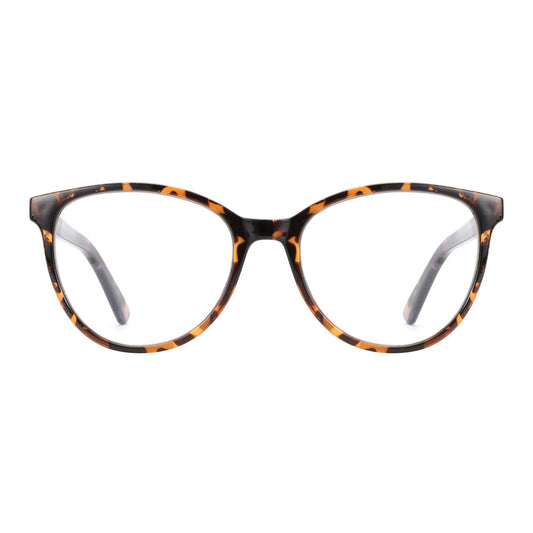
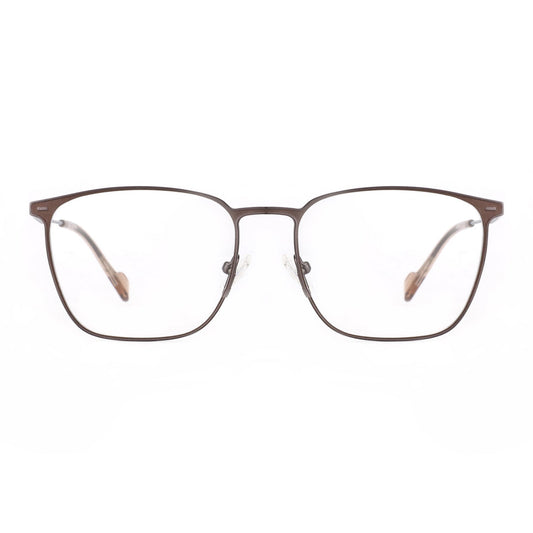
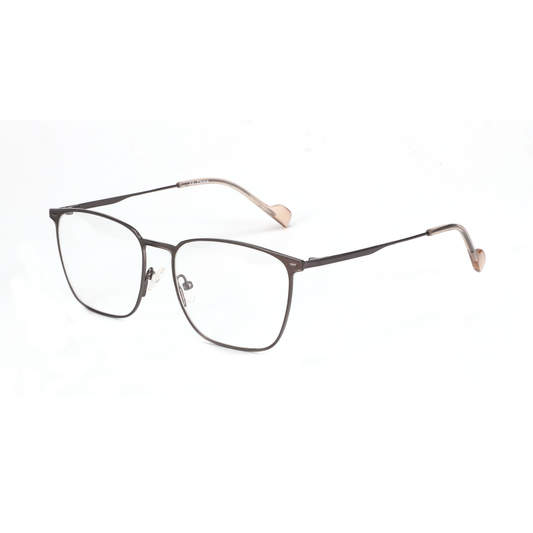
If the audit shows fixed-distance strain plus glare, consider prescription computer glasses optimized for intermediate vision with AR coating. For multi-monitor power users, Zenottic Trevor frames with 1.74 high-index lenses or the Aurora anti-glare model are popular choices that combine lightweight construction with practical coatings.
Explore our broader Blue Light Blocking Glasses collection or the full Eyeglasses lineup to compare acetate and metal options. Many developers also upgrade to acetate frames for all-day comfort.
Further reading that complements this guide includes our articles on Prescription Computer Glasses for Multi-Monitor Setups, Deep Work Eyewear for 10-Hour Screen Days, and Gaming Glasses That Actually Work Beyond the Blue Light Hype. High-prescription users switching from contacts may also benefit from reviewing when 1.74 lenses are worth the upgrade.
This Is Not Medical Advice
This article discusses comfort, lens features, and ergonomic considerations for digital eye strain only. It does not constitute medical advice, diagnosis, or treatment. Digital eye strain can stem from uncorrected vision problems, dry eye disease, or other underlying conditions. If you experience persistent discomfort, headaches, or changes in vision, consult a qualified eye care professional for a comprehensive exam. Individual results with any eyewear depend heavily on your prescription, exact setup, lighting, and personal physiology.
Optimizing your coding environment is usually a combination of the right lenses, thoughtful desk ergonomics, regular breaks, and appropriate screen brightness. Start with the checklist above, then consider whether a dedicated pair of prescription computer glasses with AR coating better matches your needs than another pair of standard blue light glasses. For many developers in 2026, that shift delivers the clearest difference in all-day comfort.
